
Picking the wrong one isn't a minor mistake. It affects how well your network segments traffic, whether you can route between departments or customer VLANs, and how much you'll spend scaling later. A flat L2 network that worked fine at 50 devices can choke on broadcast traffic at 500.
This guide breaks down exactly how L2 and L3 switches differ, where each fits, and how to decide — including where certified refurbished enterprise gear can stretch your budget further than buying new.
TL;DR
- L2 switches forward traffic using MAC addresses, staying within one LAN/VLAN
- L3 switches add IP routing on top of switching, moving traffic between VLANs/subnets
- L2 suits access-layer and small networks; L3 handles segmentation and scale
- Most mid-size and larger networks run both: L2 at the edge, L3 at the core
- Certified refurbished Juniper, Cisco, and Arista switches cost far less than new OEM pricing
L2 vs L3 Switch: Quick Comparison
| Dimension | Layer 2 Switch | Layer 3 Switch |
|---|---|---|
| OSI Layer | Data Link Layer (Layer 2) | Network Layer (Layer 3) |
| Addressing | MAC addresses | IP addresses (plus MAC) |
| Core function | Forwards frames within one VLAN/broadcast domain | Routes packets between VLANs/subnets |
| Cost | Lower, fewer features | Higher, due to routing hardware/software |
| Typical use | Access layer, small offices, workgroups | Core/distribution layer, segmented networks |
The forwarding logic is the real dividing line. L2 switches build a MAC address table and send frames only to the port where that device lives, which cuts unnecessary traffic on the segment. L3 switches add a routing table and forward packets by destination IP between subnets, a role that once required a standalone router. See Cisco Meraki’s Layer 2 vs Layer 3 comparison for a concise vendor-side breakdown.

What is a Layer 2 Switch?
An L2 switch operates purely at the Data Link layer. It learns MAC addresses from incoming frames, builds a forwarding table, and sends each frame only to the port where the destination device sits. No IP awareness is required.
Core benefits:
- Fast frame forwarding with minimal processing overhead
- Low latency, since there's no routing table lookup
- Simple configuration: plug-and-play for unmanaged models
- Cost-effective for connecting many devices in one LAN
L2 switches still support VLANs for basic segmentation, splitting traffic into separate broadcast domains. Each switch port is already its own collision domain. VLANs on an L2 switch still can't talk to each other without a routing device somewhere upstream.
Managed, Unmanaged, and L2+ Variants
Not all L2 switches are equal. Unmanaged switches are plug-and-play with zero configuration options. Managed and "smart" switches let you configure VLANs, monitor traffic, and set port priorities.
Some vendors also sell "L2+" switches that add limited L3-like features such as DHCP snooping and ACLs, without full routing protocol support. Check the datasheet before assuming "L2+" means "can route."
Use Cases of L2 Switches
L2 switches fit anywhere devices need to share one broadcast domain without routing between networks:
- Connecting workstations, printers, and access points on a single office floor or wiring closet
- Small business networks where all devices sit on one flat LAN
- Test labs and edge-of-network deployments
- Top-of-rack (ToR) connections within a single rack in a data center
Arista documents this exact pattern in its L2LS (Layer 2 Leaf-Spine) data center design, where spine switches and ToR leaf switches connect storage, compute, and edge elements within the same Layer 2 domain. That architecture is intentional and widely deployed in production.

Cost-conscious Tier-2 ISPs and regional providers often lean on L2 switches to expand LAN capacity affordably, especially at the access layer where routing isn't needed yet. A used Cisco Catalyst 2960 or Juniper EX4200, both explicitly built as access-layer switches, can handle that job without the price tag of a full L3 platform.
What is a Layer 3 Switch?
A Layer 3 switch does everything an L2 switch does, then adds IP routing on top. It uses a routing table to forward packets between VLANs and subnets, effectively replacing a standalone router for internal traffic. Core benefits:
- Enables real network segmentation for security and performance isolation between departments or customer groups
- Reduces reliance on a dedicated router for inter-VLAN traffic
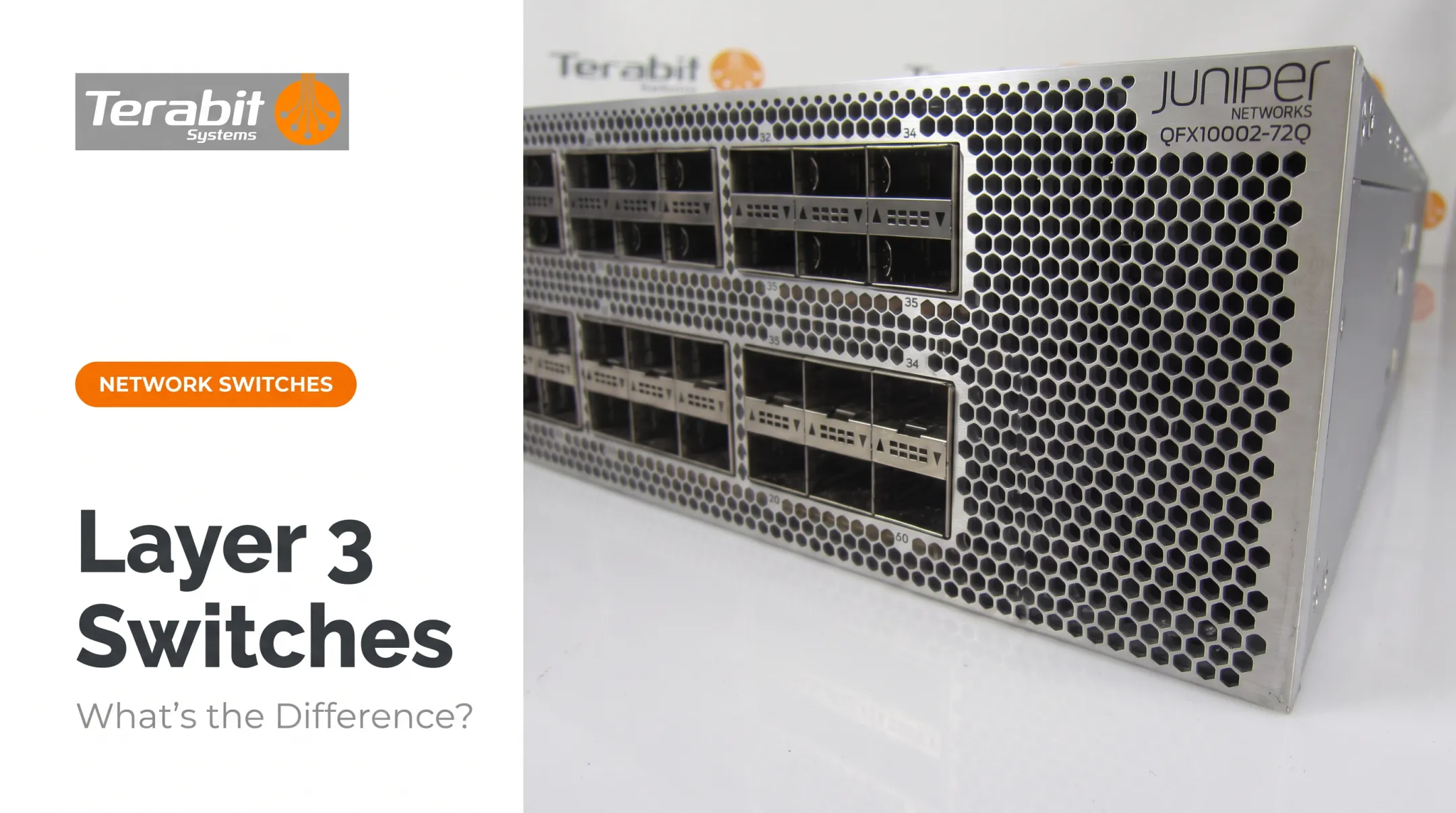
- Supports static routes and dynamic protocols like OSPF and BGP Not every L3 switch supports the same routing depth. Cisco's Catalyst 9300 line, for example, splits routing capability by license tier: Network Essentials covers static routing and basic OSPF, while advanced licenses unlock full OSPF, EIGRP, BGPv4, and IS-IS. Some switches offer full routing protocol support; others are "L3-lite" and handle only basic inter-VLAN routing. Always check the exact model and license before assuming full routing capability. Real hardware example: The Juniper QFX5110-32Q-AFI supports 208,000 Layer 3 host entries and 128,000 longest-prefix-match routes, alongside 288,000 MAC addresses in pure L2 mode. The same platform can run as a campus core aggregator or a data center spine, depending on how you deploy it.
Use Cases of L3 Switches
L3 switches belong at the distribution or core layer, where multiple VLANs need to talk to each other:
- Connect departments, buildings, or subnets across a campus network
- Support multi-tenant or multi-service environments in data centers
- Route inter-VLAN traffic for multi-site enterprises without traditional router latency
Cisco's own documentation on multilayer switching notes that ASIC-based Layer 3 switching can offload routers from forwarding unicast IP packets when a switched path exists. Traffic without a switched path still needs a router. L3 switches reduce router dependency; they don't eliminate it.
Arista's L3LS (Layer 3 Leaf-Spine) design scales from 2 spine switches up to 128, with spines forming the routed backbone that leaf switches connect into. That's the architecture most large data centers and cloud providers build on today.

L2 vs L3: Which One Do You Need?
Ask yourself these questions before buying:
- How big is your network? Under 50 devices on one segment, L2 is enough.
- Do you need to segment traffic? Multiple departments, customer VLANs, or security zones mean you need L3.
- What's your growth plan? If you're adding subnets in the next 12 months, buy L3 now.
- What's your budget? L2 is cheaper upfront but limits scalability.
Choose L2 for simple, affordable connectivity within one network segment. Choose L3 when you manage multiple VLANs or subnets, or when you need a scalable core.
Most mid-size to large networks run both. L2 switches handle the access layer and feed traffic up to L3 switches at the distribution or core layer. That hybrid design is the standard pattern in Cisco's campus architecture guides.
Budget tip: You don't need full OEM pricing to get L3 capability. Certified refurbished switches from Arista, Juniper, and Cisco, sourced through resellers like Terabit Systems, deliver the same routing hardware and protocol support at a fraction of new-equipment cost.
A used Juniper EX4200-24F, for example, ships with Layer 2 switching plus IPv4/IPv6 Layer 3 routing in the base Junos OS, and supports up to 32,000 MAC addresses and 4,096 VLANs.
Real World Example: Choosing the Right Switch
Picture a regional ISP that started with a flat L2 network serving a few hundred residential and small-business customers. As the customer base grew, so did the problems:
- Broadcast traffic climbed as more devices joined the same domain
- Customer VLANs needed isolation for both security and billing accuracy
- Support tickets increased as network congestion slowed service for everyone
The fix was moving to L3 switching at the core. By introducing inter-VLAN routing, the ISP could isolate each customer segment into its own subnet, containing broadcast traffic and giving each VLAN its own routed path instead of sharing one large broadcast domain.

Cisco's own segmentation guidance backs up the mechanism here: limiting broadcast domains reduces congestion and improves overall network speed. Results vary with the network's starting point and design.
Instead of buying new Cisco Catalyst 9300s or Arista 7050X switches at full OEM pricing, the ISP sourced certified refurbished units tested through a 5-step QA process and backed by a 1-year warranty. Same routing capability, lower capital outlay, faster deployment.
Ready to scale your network without the new-equipment price tag? Request a free audit of your surplus gear or get a quote on refurbished L2/L3 switches from Terabit Systems.
Conclusion
Choosing between L2 and L3 means matching the switch to what your network needs now and where it's headed. A single-segment office needs L2. A growing, multi-VLAN network needs L3. Most networks eventually need both, working together.
Whichever type your network calls for, you don't have to pay new-equipment prices for enterprise-grade performance. Terabit Systems supplies certified refurbished Arista, Juniper, and Cisco switches, tested and backed by warranty coverage, so you can scale on your timeline and budget.
Frequently Asked Questions
What's the difference between a Layer 2 (L2) switch and a Layer 3 (L3) switch?
L2 switches forward traffic using MAC addresses within one network. L3 switches add IP routing, moving traffic between different networks or VLANs.
Can a Layer 3 switch perform Layer 2 functions?
Yes. L3 switches include full L2 switching capability plus routing, so they function as a superset of L2 rather than replacing it.
How can I tell if my switch is a Layer 2 or Layer 3 switch?
Check the datasheet for explicit "Layer 3" classification and routing protocol support like OSPF or BGP. You can also check the management interface for IP routing configuration options.
Do I need a Layer 2 switch or a Layer 3 switch for my network?
Choose L2 for a single-segment, small network. Choose L3 if you're running multiple VLANs or subnets that need internal routing between them.
What does a Layer 2 (L2) switch do?
It forwards Ethernet frames based on MAC addresses within a LAN and supports basic VLAN segmentation for traffic isolation.
What does a Layer 3 (L3) switch do, and is it the same as a router?
It performs both switching and routing, optimized for fast LAN and inter-VLAN traffic. Routers are typically used for WAN connections and more complex routing policies.