
These two architectures solve different problems. Fixed switches deliver simplicity and low upfront cost. Modular switches deliver flexibility and resilience, at a higher price. The right choice depends on your network's size, growth curve, and tolerance for downtime.
This guide breaks down the definitions, real-world use cases, and cost tradeoffs of each. We'll also cover how buying refurbished Cisco, Juniper, or Arista equipment can make either path far more affordable.
TL;DR
- Choose fixed switches for built-in ports, lower upfront cost, and simple management in small or branch networks
- Choose modular switches when you need a chassis with swappable line cards, supervisors, and high availability
- Fixed boxes win early on price; modular platforms scale more economically once port density and growth matter
- Refurbished fixed or modular gear cuts CapEx sharply versus buying the same architecture new from the OEM
Fixed vs. Modular: Quick Comparison
| Factor | Fixed Switches | Modular Switches |
|---|---|---|
| Cost | Lower upfront price | Higher initial CapEx (chassis, supervisor, power) |
| Scalability | Buy new units or stack to add ports | Add line cards into existing chassis slots |
| Redundancy | Basic, stack-based | Dual supervisors, hot-swappable components |
| Management | Simple, often plug-and-play | Requires more networking expertise |
| Ideal deployment | Small offices, branch sites, edge | Data centers, campus cores, high-density networks |
Cisco, Juniper, and Extreme all position fixed switches for predictable, bounded environments and modular chassis for networks that need room to grow. Use that split to match form factor to growth plans before you compare SKUs or quotes.
What Is a Fixed Configuration Switch?
A fixed configuration switch is a set number of ports built into a single, unchangeable unit. You deploy it standalone or in a stack, and what you buy is what you get.
Core benefits:
- Lower cost per unit
- Compact footprint
- Simple, often plug-and-play deployment
Fixed switches aren't a single tier. They come in three feature levels:
- Unmanaged — basic connectivity, zero configuration, suited to very small networks
- Smart — some VLAN, QoS, and security controls without a full feature set
- Managed — full configurability, security, and performance visibility

Use Cases of Fixed Switches
Fixed switches dominate wherever port demand is predictable. Cisco positions its fixed stackable products for lean branches, midsize campuses, wiring closets, and classrooms, citing low power draw and quiet operation for office environments (Cisco Network Switches).
Juniper's EX2300 fits the same role: a 1U entry-level access switch for branch and remote offices where simplicity matters more than density. Extreme's 220 Series offers 12, 24, or 48-port fixed models aimed at SMBs and branch sites.
Common environments include:
- Small and midsize offices
- Branch and retail locations
- Edge/access-layer roles in larger networks
- Regional ISPs with distributed, less complex sites
In these environments, a bounded, complete switch avoids paying for chassis overhead you will never use.
What Is a Modular Switch?
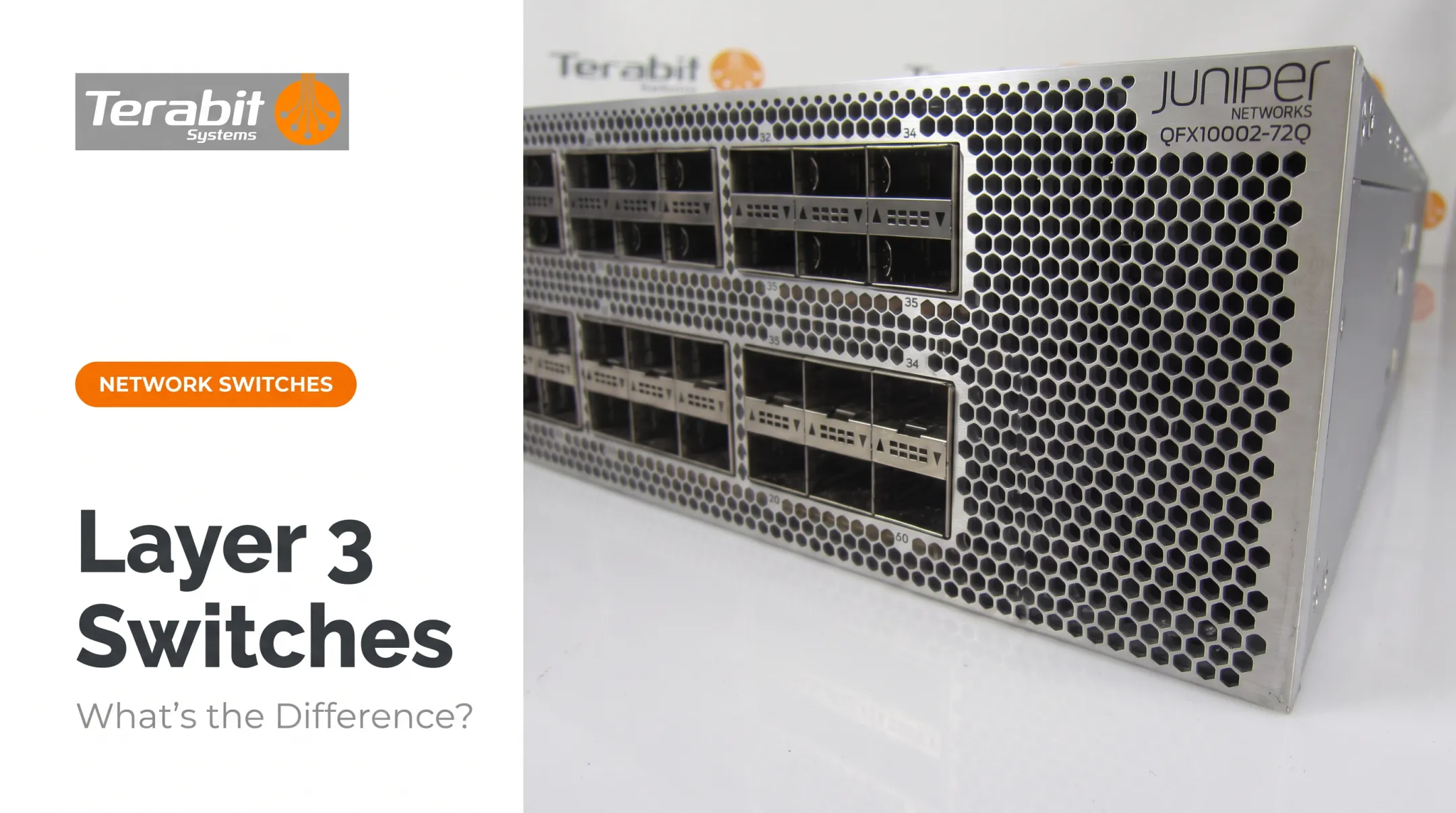
A modular switch is a chassis with slots. Instead of buying a fixed unit, you buy a shell that accepts line cards, supervisor engines, and power supplies, all of which can be added, swapped, or upgraded independently.
Core benefits:
- Staged scalability without full hardware replacement
- Hot-swappable components for minimal downtime
- Line-card and chassis investment that carries forward across upgrades
From there, models vary on three axes: chassis size (rack units and slot count), supervisor redundancy options, and line-card speed (1G, 10G, 40G and beyond).
Use Cases of Modular Switches
The higher price tag pays off in high-density, high-availability environments. Cisco's Catalyst 9400 line, for example, supports up to 9 Tbps of system bandwidth and can scale to 384 access ports in a single chassis.
Cisco also notes that line cards can be reused across the 9400 chassis family as needs evolve (Cisco Catalyst 9400 line-card data sheet).
For resilience, Arista's standby supervisor automatically takes control if the active supervisor resets, reloads, or fails, a design meant to minimize downtime and data loss during hardware issues (Arista EOS Supervisor Redundancy).

Common environments include:
- Data center cores and spine layers
- Campus core/distribution
- Large enterprise and service provider backbones
- Tier-2 cloud providers scaling port density without full hardware swaps
Modular pricing is often quoted in pieces. A CDW listing for a Cisco Catalyst 9407R chassis alone runs $6,443.67 (no supervisor, line cards, or license). A fully configured C9410R bundle with a supervisor and two 48-port line cards runs closer to $28,432.99. Always price the complete system, not just the chassis. On the secondary market, buyers often source matching chassis, supervisors, and line cards as refurbished builds to reach that full configuration at a lower total cost.
Fixed vs. Modular: What's Better for Your Network?
Neither design wins by default. Match the architecture to your current and projected needs.
Base your decision on:
- Current and projected port density
- Budget constraints (upfront vs. long-term)
- Uptime requirements
- Expected network lifecycle
Choose fixed switches if:
- Your network size is stable and predictable
- You need a cost-effective solution for a small or branch site
- Simplicity matters more than maximum redundancy
Choose modular switches if:
- You're scaling rapidly and expect repeated expansion
- You need high availability with minimal maintenance downtime
- You're running dense PoE or high-port-count environments
Buying refurbished does not force a compromise either way. Terabit Systems stocks used fixed platforms like the Cisco Catalyst 2960/3560/3750 series and Juniper EX Series, plus modular lines including the Cisco Nexus 7000, Catalyst 4500/6500, and Juniper QFX Series.
Budget-conscious teams get enterprise hardware without OEM list pricing.
Buying Refurbished Fixed or Modular Switches: What to Know
Refurbished doesn't mean risky, provided the reseller tests properly. Terabit Systems runs used switches through a five-step process before resale:
- Physical inspection: connectors, faceplates, and hardware checked for damage
- Functional testing: POST checks, log review, fan and power-supply tests, plus wire-speed traffic on every port
- Module testing: line cards and modules run in a chassis and verified for normal operation
- Factory reset: configs and passwords wiped, firmware confirmed
- Final QC: cleaning, kitting, and professional packaging

Trade-in and buy-back programs can offset the cost when you change architectures. Terabit Systems' asset recovery service starts with a free audit of your existing gear and offers fair-market value or trade-in credit toward refurbished equipment—useful whether you're consolidating fixed switches into a modular chassis or breaking a chassis out into fixed units.
Warranty coverage matters as much as the testing itself. Terabit Systems backs its refurbished switches with a one-year replacement or refund guarantee: if a unit fails within that window, you get a replacement or your money back, up to the original purchase price.
Rigorous testing plus a real warranty is what makes a refurbished fixed or modular switch a sound buy instead of a risk.
Frequently Asked Questions
What are the four types of switches in networking?
The four common types are unmanaged, smart, managed, and modular. Unmanaged, smart, and managed are fixed-configuration switches that differ by control and features. Modular is a separate category built on a chassis you can expand over time.
Is it better to have a managed or unmanaged switch?
Managed switches offer more control, security, and scalability, making them better for growing or complex networks. Unmanaged switches suit simple, low-port-count setups that need zero configuration.
What is the main difference between a fixed and modular switch?
Fixed switches pack a set number of ports into one unchangeable unit. Modular switches use a chassis with slots for line cards, supervisors, and power supplies that can be added or swapped over time.
Are modular switches always better than fixed switches?
No. Modular architecture can be overkill and unnecessarily expensive for small deployments. The right choice depends on matching architecture to your network's size, growth plans, and budget.
Can I buy refurbished modular switches instead of new ones?
Yes. Refurbished modular chassis and line cards from brands like Cisco, Juniper, and Arista are widely available and tested before resale. With solid warranty coverage, they can cut cost meaningfully versus buying new.
How do I know when to upgrade from fixed to modular switching?
When one closet or segment needs more than a few stacked fixed switches to meet port demand, it’s usually time to move to a modular chassis.