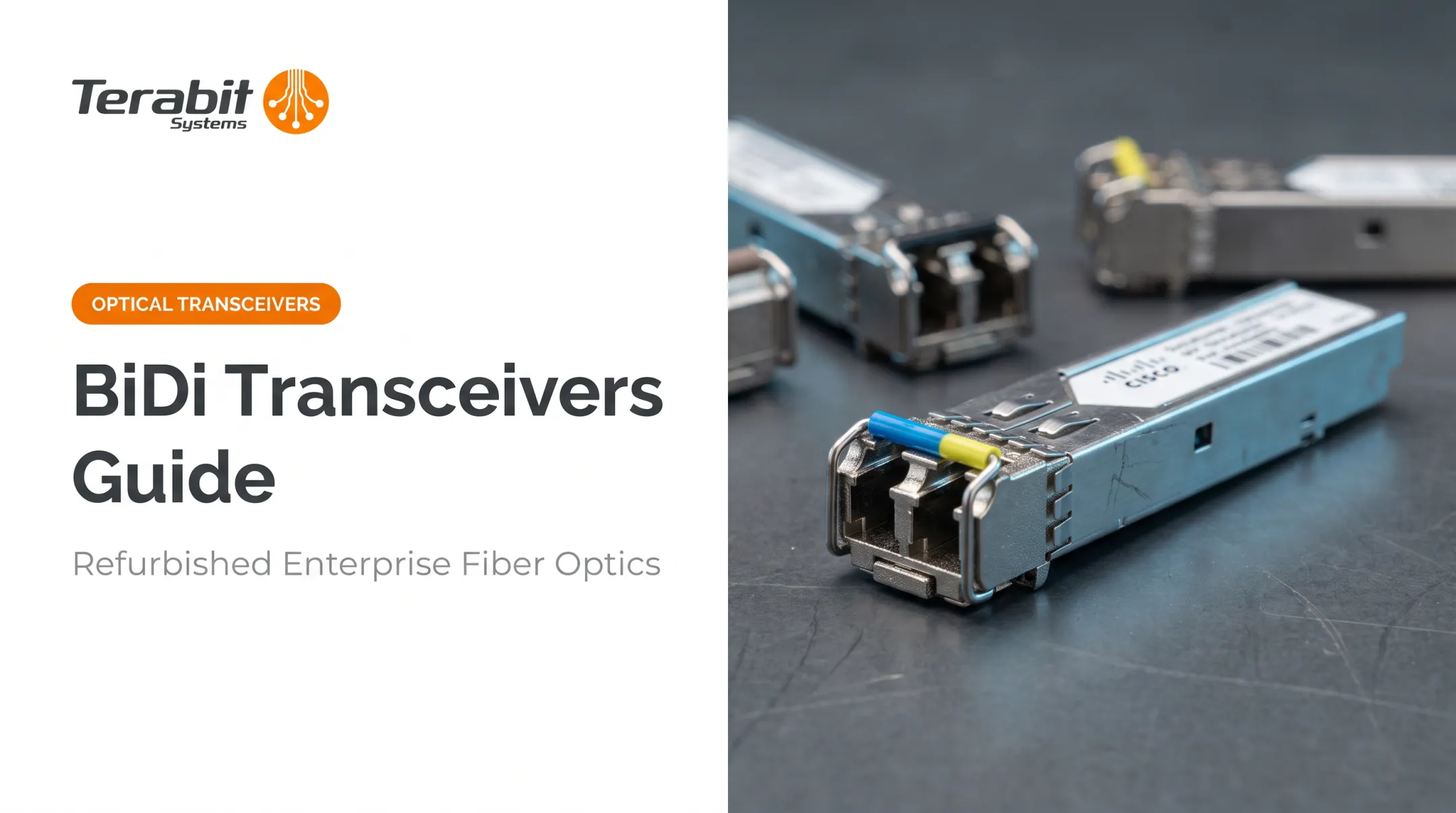

That's where BiDi SFP transceivers come in. Unlike standard SFPs that need two fibers (one for transmit, one for receive), BiDi modules squeeze both directions onto a single strand using two different wavelengths.
This guide breaks down how BiDi optics actually work, where they differ from standard SFPs, and how to choose the right module — whether you're buying new or considering tested, refurbished options.
Key Takeaways
- BiDi SFPs transmit and receive on one fiber using two wavelengths, cutting fiber use nearly in half
- BiDi modules need matched A/B wavelength pairs — mismatched pairs won't link
- Standard SFPs use two fibers, cost less per unit, and offer broader compatibility
- Refurbished BiDi and standard SFP modules can deliver real savings when properly tested and covered by warranty
What Is a BiDi SFP Transceiver?
BiDi stands for bidirectional. It's a single-fiber optical transceiver that uses wavelength division multiplexing (WDM) to send and receive data over one fiber strand instead of two.
Cisco's documentation on its 1000BASE-BX-D/U modules confirms this design. Each module runs over a single strand of standard single-mode fiber. The D and U variants use opposite transmit and receive wavelengths so traffic does not interfere on the same strand (Cisco datasheet).
The port tells the story:
- BiDi modules use a single, simplex LC or SC connector
- Standard SFPs use a duplex LC connector — two fiber ends going into one plug
Common deployment scenarios include:
- FTTx/FTTH last-mile connections
- Data center interconnects with limited conduit space
- Metro links where pulling new fiber is expensive or physically impossible
How Do BiDi Optics Work?
The Integrated WDM Splitter
Inside a BiDi module sits an integrated WDM splitter. It separates two different wavelengths traveling on the same fiber strand: one for transmit, one for receive. Cisco describes this component as splitting the 1310 nm and 1490 nm paths inside the SFP housing itself.
Common Wavelength Pairs
Here's where the "A/B pairing" concept becomes critical. BiDi modules always ship as complementary pairs:
| Product Class | Side A (D) | Side B (U) | Reach |
|---|---|---|---|
| 1G BX10-D/U | TX 1490 nm / RX 1310 nm | TX 1310 nm / RX 1490 nm | Up to 10 km |
| 10G BXD/U | TX 1330 nm / RX 1270 nm | TX 1270 nm / RX 1330 nm | Up to 10 km |
| 25G BXD/U-I | TX 1330 nm / RX 1270 nm | TX 1270 nm / RX 1330 nm | 10 km |
| 25G BX40D/U | TX 1314 nm / RX 1289 nm | TX 1289 nm / RX 1314 nm | 40 km |
| Cisco is explicit on this point: the 1000BASE-BX10-D module is always paired with a BX10-U module on the other end. Put a D on both ends, and there's no working link. |

What Happens With a Mismatch
If both ends of the fiber run the same wavelength pattern, the receiving photodiode on each side simply isn't tuned to detect the incoming signal. In practice, this shows up as no link light. The switches never establish a connection, and DDM readings typically show no received optical power.
Standards Backing It Up
BiDi optics are built on recognized industry standards. Cisco's 1G BiDi line references IEEE 802.3ah, while its 25G lineup cites IEEE 802.3by and IEEE 802.3cc. The IEEE P802.3cp task force, approved in 2021, specifically addresses bidirectional 10G, 25G, and 50G optical access PHYs — giving vendors like Cisco, Juniper, and Arista a common technical baseline for interoperability.

BiDi SFP vs Standard SFP: Key Differences
The core trade-off comes down to fiber count versus flexibility. Here's how they stack up:
| Factor | BiDi SFP | Standard SFP |
|---|---|---|
| Fiber strands needed | 1 | 2 |
| Connector type | Simplex LC/SC | Duplex LC |
| Per-unit cost | Higher | Lower |
| Deployment complexity | Requires A/B pairing | Plug-and-play |
| Vendor flexibility | Must match wavelength sides | Broadly interchangeable |
| Best fit | Fiber-constrained sites | Standard runs with fiber to spare |
Cost considerations run deeper than the sticker price. While BiDi modules cost more individually, the fiber savings can lower total infrastructure spend: fewer strands mean fewer patch panels, less conduit space, and reduced fiber-run installation labor. Half the fiber connections often means lower installation and maintenance overhead over time, even though the exact dollar figure varies by site.
Deployment complexity is a different constraint. Standard SFPs are genuinely plug-and-play: any compatible module works in any compatible port. BiDi requires you to track which end gets the "D" side and which gets the "U" side. Get it backward, and you're troubleshooting a link that was never going to come up.
Across data rates, both formats scale reasonably well:
- 1G: BiDi and standard options both reach 10 km on single-mode fiber
- 10G: Same pattern: BiDi trims fiber count without sacrificing the standard 10 km reach
- 25G: BiDi options such as Cisco's BX40D/U reach up to 40 km on single-mode; standard 25G LR also supports long SMF runs, while SR stays around 70–100 meters on multimode
- 100G: Standard duplex options dominate here; SFP-form-factor BiDi at 100G isn't well established in current vendor documentation
Common Applications for BiDi Transceivers
BiDi modules solve a specific problem: not enough fiber, but plenty of demand for bandwidth. Three scenarios come up repeatedly:
- FTTx/FTTH deployments: Carriers connect central offices to customer premises without trenching new runs, doubling effective capacity on existing single-strand fiber.
- Data center interconnects and campus backbones: Operators cut strand requirements in half where pathways between buildings or rows are already limited.
- ISP and telecom access networks: Regional and Tier-2 providers extend last-mile service without laying more fiber, holding capital costs down while meeting bandwidth commitments.
Across all three, physical fiber capacity is the bottleneck, not electronics or bandwidth demand.

Choosing and Buying the Right Fiber Transceiver
Before ordering anything, run through this checklist:
- Assess fiber availability first. If you have duplex fiber runs to spare, standard SFPs are simpler and cheaper. If strands are scarce, BiDi earns its higher price tag.
- Confirm distance and data rate needs. Match the module's rated reach and speed to your actual link requirements. Don't overspec.
- Check vendor coding requirements. Cisco, Juniper, Arista, and HPE platforms sometimes enforce vendor-specific coding on pluggables. Juniper's policy distinguishes qualified modules from unqualified third-party ones, and JTAC support is limited accordingly.
- Verify DDM/DOM support. Digital diagnostic monitoring gives you visibility into optical power, laser bias, and temperature — critical for troubleshooting a BiDi link that won't come up.
- Confirm A/B wavelength labeling before you deploy. Mislabeled or unlabeled pairs are the single most common cause of BiDi link failures in the field.
Where refurbished inventory fits in: Tested, warranty-backed secondary-market optics are a practical way to control networking costs. Terabit Systems tests optical transceivers by passing live network traffic through them before approval, not cosmetic inspection alone.
Modules that pass ship with warranty coverage. That matters on optics: a module either works at wire speed or it doesn't.

If you're not sure whether BiDi or standard duplex fits your specific run, a quick conversation with a reseller who stocks both tends to save more time than guessing from a datasheet.
Frequently Asked Questions
How do BiDi optics work?
BiDi modules use an internal WDM splitter to separate two wavelengths on a single fiber strand, one for transmitting and one for receiving. This lets a single strand carry full-duplex traffic instead of needing two.
Do both ends of a BiDi link need BiDi transceivers?
Yes. Both ends need matched A/B (or D/U) pairs with complementary wavelengths. A BiDi module on one end and a standard SFP on the other simply won't establish a link.
Can BiDi modules be mixed with different brands?
Generally, yes, if both modules are MSA-compliant and use matching wavelengths. However, some platforms (like certain Juniper devices) restrict full support to vendor-qualified modules, so check your hardware's compatibility policy first.
Is BiDi SFP more expensive than standard SFP?
Per unit, yes. But the fiber savings often lower total infrastructure cost, especially on longer runs. Refurbished BiDi modules can also reduce upfront hardware spend significantly.
What happens if BiDi transceivers have mismatched wavelengths?
The link won't establish. You'll typically see no link light and no received optical power on DDM readings, since the receiving side isn't tuned to detect the incoming wavelength.