
Sounds simple. It isn't always.
Buyers regularly get tripped up by naming conventions like "1000BASE-TX" versus "1000BASE-T," and picking the wrong module means a port that won't link up at all. This guide breaks down what these modules actually do, where the standards diverge, and how to buy one that works the first time.
Key Takeaways
- Copper SFPs convert fiber SFP cages into auto-negotiating RJ45 Ethernet ports
- "1000BASE-TX" and "1000BASE-T" are not the same standard — check datasheets carefully
- Switch vendor coding (Cisco, Juniper, Arista) can block modules even when electrically compatible
- Testing and warranty coverage matter more than sticker price when buying used gear
What is a 10/100/1000BASE-TX Copper SFP Module
What is a 10/100/1000BASE-TX Copper SFP Module?
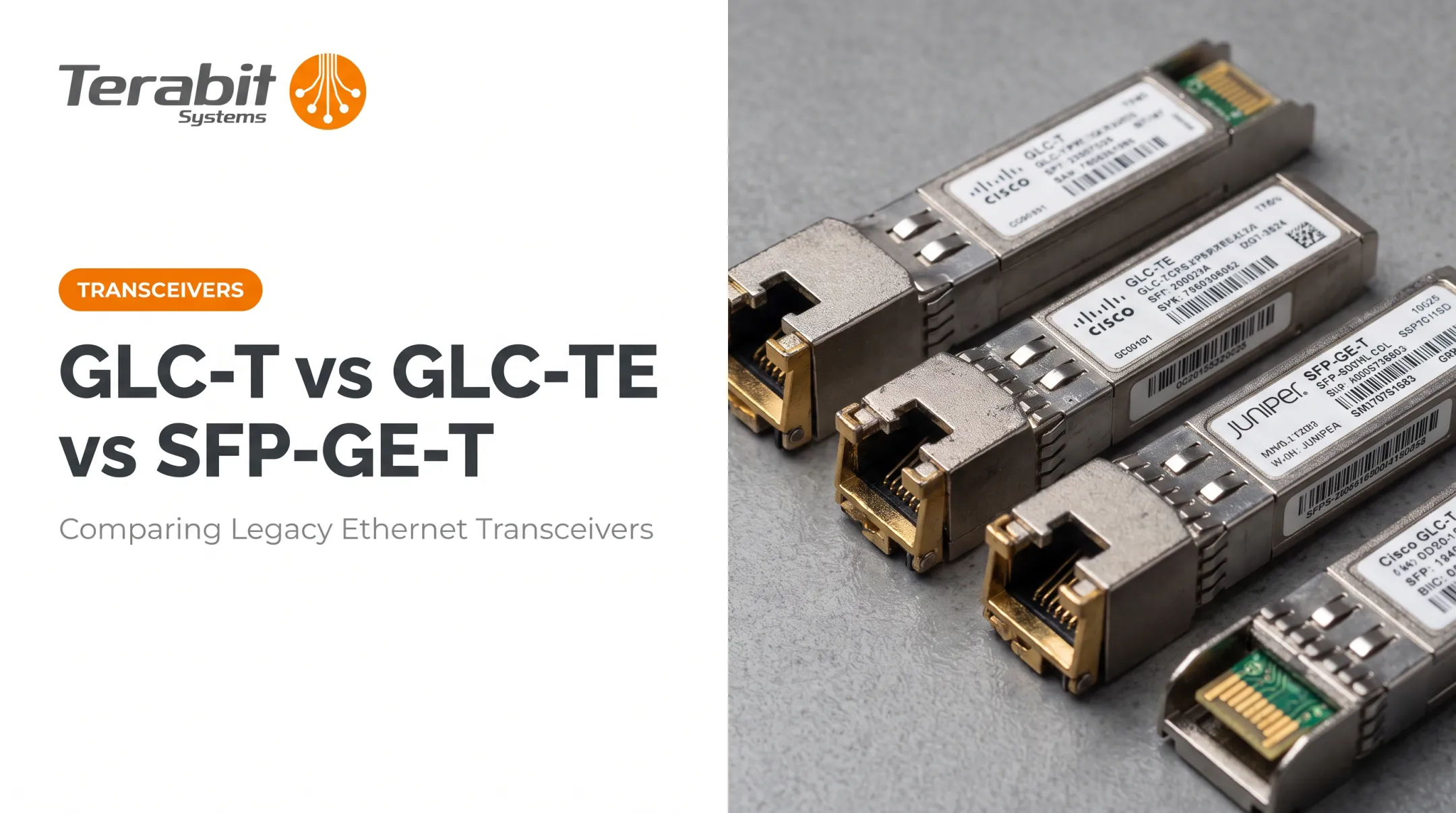
A copper SFP is a hot-swappable transceiver that plugs into an SFP cage and exposes an RJ45 port for standard twisted-pair Ethernet cabling. The "TX" in the name refers to twisted-pair copper transmission, distinguishing it from "SX" or "LX" fiber optic variants that use LC connectors instead.
Inside the housing, a physical-layer (PHY) chip handles auto-negotiation and translates between the host switch's fiber-style SerDes interface and standard copper Ethernet signaling. Documented designs such as the Linktel LX1801CNR typically include:
- A PHY chip for link auto-negotiation
- An SGMII connection back to the host
- A two-wire management interface
Together, these let the module work transparently with the switch's existing software.

Common use cases:
- Extending a fiber uplink port to reach copper-only equipment
- Connecting legacy devices that lack native fiber ports
- Adding an out-of-band management port to a fiber-dense switch
Those use cases still run into a fixed distance limit. Cisco's documentation puts 1000BASE-T SFP operation at up to 100 meters over Category 5 UTP, with tri-speed modules requiring Cat5e or better for 100/1000 Mbps and Cat3 or better for 10 Mbps. That ceiling is hard. Unlike fiber SFPs, where reach varies by wavelength and fiber type, copper reach is fixed by the electrical standard itself.
Understanding the 10/100/1000BASE-TX Standards
Difference Between 100BASE-TX and 10BASE-T Ethernet
These two legacy standards look similar on paper but behave very differently:
- 10BASE-T: 10 Mbps, half-duplex, runs over Category 3 cabling or better
- 100BASE-TX (Fast Ethernet): 100 Mbps, full-duplex, requires Category 5 cabling
Both max out at 100-meter segments, but the signaling and duplex handling differ enough that support for one speed does not guarantee clean support for the other. A proper tri-speed module auto-negotiates across 10, 100, and 1000 Mbps so the switch and endpoint settle on the highest speed both sides can handle.

What Does 1000BASE-TX Mean?
Here's where confusion sets in. 1000BASE-TX is not the standard most "gigabit copper SFPs" actually use. It was a TIA/EIA-854 proposal built around Category 6 cabling, using a simpler two-pair implementation instead of the four-pair scheme in the far more common 1000BASE-T.
Fluke Networks reports that no hardware vendor adopted 1000BASE-TX after gigabit port costs dropped, and IEEE stuck with 1000BASE-T under 802.3ab instead. IEEE's own 802.3-2022 standard lists 10BASE-T, 100BASE-TX, and 1000BASE-T — not 1000BASE-TX.
The takeaway: if a listing says "1000BASE-TX," verify with the datasheet whether it actually means 1000BASE-T.
Some OEM part numbers, like Brocade's E1MG-TX, still use "TX" in the name for standard 1000BASE-T-compatible copper SFPs. The label alone is not reliable evidence either way.
How to Choose the Right Copper SFP Module
Before ordering, run through this checklist:
- Supported speeds — confirm auto-negotiation across 10/100/1000, not just gigabit
- Connector type — RJ45 for copper; verify the listing, not just the product title
- Cable category required — Cat5e/Cat6 recommended even where Cat5 is technically supported
- Vendor coding — Cisco, Juniper, and Arista switches may reject uncoded or wrong-vendor-coded modules Vendor coding is the step most buyers skip, and the one that causes the most returns. An unsupported transceiver can put a Cisco port into err-disable even when the module is electrically compatible. Check each vendor's own guidance before you order:

- Cisco: unsupported modules can trigger err-disable on insert
- Arista: Transceiver and Cable Guide lists minimum EOS versions; SFP-1G-T is documented as 100/1000BASE-T, not full tri-speed
- Juniper: Hardware Compatibility Tool lists exact supported part numbers (for example, EX-SFP-1GE-T) Also verify on your specific platform:
- Your switch's specific SFP port actually supports copper modules (some fiber-only ports restrict this)
- Whether DOM/DDM diagnostics are documented for that exact module (common on optics, not guaranteed on copper) Terabit Systems stocks compatible copper SFP modules for Juniper platforms, including the EX-SFP-1GE-T, JX-SFP-1GE-T, and JX-SFP-1GE-LN, plus Brocade's E1MG-TX. Each is tested before shipping and backed by warranty coverage, so you can match modules to your chassis with less trial and error.
Singlemode vs Multimode Confusion with Copper SFPs
Here's a quick way to end an argument on a networking forum: singlemode and multimode ratings only apply to fiber optic SFPs. They describe fiber core diameter and light propagation mode — concepts that don't exist in electrical copper signaling.
You can tell the difference at a glance:
- Fiber SFPs have LC or SC connectors, often color-coded (blue for singlemode, typically black or beige for multimode)
- Copper SFPs have a standard RJ45 port, identical to what you'd see on any Ethernet jack
If a listing describes a copper module as "singlemode" or "multimode," that's a red flag the listing was copy-pasted incorrectly. Copper SFPs are specified by supported BASE-T standard, cable category, and reach — not fiber mode.
Buying New vs Refurbished Copper SFP Modules
New OEM-branded copper SFPs carry premium pricing. Juniper's SFP-1GE-T lists at an MSRP around $395, with the EX-SFP-1GE-T and JX-SFP-1GE-T both around $400. Refurbished alternatives typically cost far less, though the exact discount depends on the module and current inventory.
Risks with untested used modules include:
- Interoperability issues with your specific switch firmware
- DOA (dead-on-arrival) failures from untested inventory
- No recourse if the module fails after install
This is where testing procedures matter. Terabit Systems runs copper SFPs through a five-step QA process before sale:
- Diagnostic checks
- Log file review
- Wire-speed traffic testing through the ports
- Chassis-level functional validation
- Physical inspection for connector damage

The goal is equipment that works 100% out of the box.
Every module purchase also comes with a one-year replacement or refund guarantee. If a copper SFP fails within that window, Terabit Systems replaces it at no cost, or issues a credit/refund up to the original purchase price if a replacement isn't available. Pre-tested inventory plus a real warranty separates a reliable refurbished purchase from a gamble on an auction site.
Frequently Asked Questions
How can I tell if an SFP module is singlemode or multimode?
Singlemode and multimode classifications apply only to fiber SFPs with LC connectors, often distinguished by connector color. Copper TX modules use RJ45 ports and have no such rating.
What does 1000BASE-TX mean?
It's a legacy Category 6-based gigabit copper standard that never gained commercial traction. It's often confused with the far more common 1000BASE-T, so always check the datasheet to confirm which one a listing actually supports.
What are the differences between 100BASE-TX and 10BASE-T Ethernet?
100BASE-TX runs at 100 Mbps full-duplex over Cat5 cabling, while 10BASE-T runs at 10 Mbps half-duplex over Cat3 or better. Both cap out at 100-meter segments.
Can I use a copper SFP module in any switch?
Not always. Compatibility depends on vendor coding and whether that specific SFP port supports copper modules at all. Some fiber-only ports have restrictions built into the switch firmware.
Do copper SFP modules support Power over Ethernet (PoE)?
Generally, no. Most copper SFP modules are built for data-only uplinks and don't pass PoE power to connected devices.
How do I know if a used copper SFP module is reliable?
Buy from resellers that pre-test modules and offer warranty coverage. Terabit Systems runs every module through a five-step QA process and backs purchases with a one-year replacement/refund guarantee. Call 1-415-230-4353 for module-specific test details.